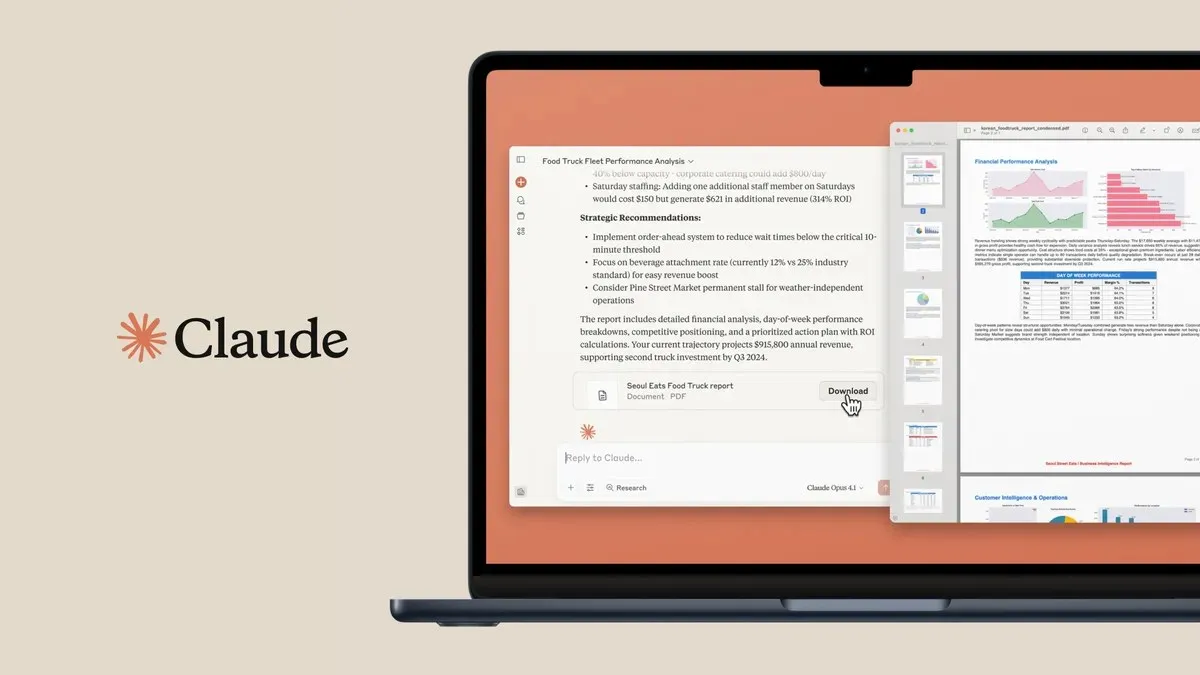
Claude Cowork explained: what it is, what it costs and what changed in 2026
Claude Cowork finishes tasks in your files, tools and browser. What it is, what it costs and what the merger with chat changed in 2026.


Summary
- Claude Cowork lets Claude finish tasks on its own across your files, calendar, mail, browser and connected tools, with every step visible
- Since 16 September 2026 Cowork is no longer a separate mode on Pro and Max: it is gradually moving into every conversation. Team and Enterprise keep chat and Cowork separate for now
- From 6 October 2026 new Cowork tasks on Pro and Max start in the cloud; for files on your computer the desktop app has to be open
- Over 90% of Cowork usage is not software development, according to Anthropic's own analysis of 1.2 million sessions from May 2026 (figures via TechCrunch)
- Included in all paid Claude plans from $17 per month (checked on 3 October 2026), not in the free plan
Claude Cowork is the feature that lets Claude finish tasks on its own across your files, calendar, mail, browser and connected tools until the job is done. Since September 2026 the way you use it is changing: on Pro and Max, Cowork is gradually moving into every conversation, and from 6 October 2026 new tasks there start in the cloud. In this article we explain what Claude Cowork is, whether it still exists as a separate mode, how it differs from Claude Desktop, what it costs and what to watch before you let it loose on business files. Everything was checked on 3 October 2026, with source and date included. This product changes by the month.
Want these kinds of AI workflows in your business without experimenting yourself? ClickForest helps Belgian SMEs with building with AI, from first setup to a working application.
What is Claude Cowork?
Claude Cowork is Claude’s agent feature: you describe a task and Claude completes it independently across your files, calendar, email, browser and connected tools, with every step visible. Anthropic itself, July 2026: “and it works across your files, calendar, email, messaging app, the web, and the other tools you connect until the job is done”. On Pro and Max it is gradually disappearing as a separate choice.
Cowork appeared on 12 January 2026 as a research preview for Max subscribers in the Claude Desktop app, then on macOS only (release notes), and grew into a full product within six months. Technically it uses the same agent architecture as Claude Code, without the terminal. According to the official help center you describe an outcome, step away and come back to finished work. At launch TechCrunch summed it up as “Claude Code without the code”. The glossary explains exactly what an AI agent is.
ClickForest guides Belgian SMEs and scale-ups in Mechelen, Antwerp and across Flanders with this kind of AI application, from training to custom work.
Does Claude Cowork still exist?
Yes, but on Pro and Max it stopped being a separate mode on 16 September 2026. Anthropic merged chat and Cowork into one conversation there: you ask for what you need and Claude decides whether that becomes a quick answer or a task. The new experience is rolling out gradually and you cannot switch back. Team and Enterprise keep chat and Cowork separate for now.
The help center puts it in one sentence: “Claude Cowork is now just Claude.” In the announcement Anthropic explains why:
“We built Cowork as a separate place for bigger work, and Design for visual work. People used both, and told us the frustrating part was deciding where a task belonged.”
— Anthropic, announcement of 16 September 2026
What that means per plan, according to the help article on the merger and the explanation for Team and Enterprise:
| Situation | How Cowork works | What you see |
|---|---|---|
| Pro and Max, new experience | Cowork is in every conversation; Claude chooses between an answer and a task itself | One conversation, questions and tasks together in Recents, the Code tab stays |
| Pro and Max, not rolled out yet | Cowork is still a separate choice next to chat | The choice between Chat and Cowork |
| Team and Enterprise | Chat and Cowork stay separate for now; Enterprise gets at least 30 days' notice | The choice between Chat and Cowork |
| Free | Cowork is not in the free plan; the new experience follows later, without details on what Free will get | Regular chat |
In the new experience you choose how independently Claude works. In the default Manual setting Claude asks permission for each action; in Auto it keeps going and automated safety checks run before each action. The Cowork instructions moved to Instructions for Claude under Settings, and there is no separate web search toggle any more: Claude searches when it helps.
What is the difference between Claude Cowork and Claude Desktop?
Claude Desktop is Claude’s computer app, for macOS, Windows and, in beta, Linux. Cowork also runs in beta on the web and in the mobile apps. The desktop app adds what web and mobile cannot reach: the folders on your own computer, the built-in browser and computer use, which is in beta and does not work on Linux.
Anthropic puts it this way on the product page: “The desktop app adds what web and mobile can’t reach: the folders and applications on your own computer.” The help center calls the desktop app “the full Cowork experience”. Meanwhile the line with regular chat is blurring: on Pro and Max, Cowork is gradually moving into every conversation.
What Cowork shares with Claude Code is its architecture. Simon Willison, independent open source developer and creator of Datasette, put it sharply on launch day:
“As far as I can tell Claude Cowork is regular Claude Code wrapped in a less intimidating default interface and with a filesystem sandbox configured for you without you needing to know what a ‘filesystem sandbox’ is.”
— Simon Willison, independent open source developer and creator of Datasette
In the same analysis Willison called it “a really smart product”, because it finally makes the value of Claude Code available to a non-technical audience (simonwillison.net, January 2026). Our guide to Claude Desktop explains how chat, Cowork and Code fit together in the desktop app; this article focuses on the Cowork side.
What can Claude Cowork do in practice?
Cowork works with folders and files (Word, PDF, Excel, PowerPoint, images, CSV and more), carries out tasks end to end, splits big projects into subtasks that run together, runs scheduled tasks unattended and shows every step it takes. It can be extended with plugins, skills, connectors and sub-agents (product page).
Who uses it in practice? According to Anthropic, over 90% of Cowork usage is not software development. TechCrunch published the figures behind that study: a sample of 1.2 million anonymised sessions from more than 600,000 organisations over the last two weeks of May 2026. The largest categories are business processes and operations (33.4%) and content creation and copywriting (16.4%); software development accounted for only 8.7%. Important caveat: this is Anthropic’s own analysis, and it says what users do with it, not how well it does those tasks.
For marketing teams the picture is familiar. Chloe Tambe, Director AI Transformation at HubSpot, in a testimonial on Anthropic’s product page:
“Cowork gives us the ability to schedule and run tasks even when people are offline, taking busywork off their plates so they can focus on actually being marketers.”
— Chloe Tambe, Director AI Transformation at HubSpot, testimonial on the Cowork product page
Since 30 January 2026 there are also eleven open-source plugins that specialise Cowork by role, including marketing, legal and customer support. Matt Piccolella of the Anthropic product team explained why in TechCrunch:
“Really, what we’re doing with this launch is just bringing them to Cowork and giving them that kind of user-friendly, UI-centric flavor that will allow the maximum number of people to use them.”
— Matt Piccolella, Anthropic product team, in TechCrunch
A plugin you add is saved to your account, so it also works in chat and Claude Code. Since 25 September 2026 developers can submit plugins to the official Claude directory. Many integrations run through connectors based on MCP, the protocol that lets AI read and operate your business systems.
Can Claude Cowork use websites on its own?
Yes. Since 26 August 2026 Cowork has a built-in browser in the Claude Desktop app: Claude navigates, reads, clicks and types on websites, without an extension and without installation. Anthropic names three typical tasks: filling in a form, pulling numbers from a dashboard, or working through a portal that has no connector (Anthropic, August 2026).
That last one is the most interesting for an SME. A lot of recurring work sits in web portals without an integration, and Cowork now has its own browser for that.
The browser works in the desktop app on macOS, Windows and, in beta, Linux, and you can also start a task from the web or your phone as long as the desktop app is open. Pro, Max and Team got it from late August; on Enterprise it has been on by default since 10 September 2026, unless an admin turns it off. If you prefer working in Chrome, a Cowork session can also run in the side panel of the Claude in Chrome extension (Max and Team, Pro rolling out), and you choose in the settings which browser Cowork uses (help center).
On privacy, Anthropic says Claude never sees your tabs, bookmarks or passwords. You bring logins over site by site: on macOS from Chrome, Edge or Firefox, on Windows and Linux only from Firefox, and banking, email and single sign-on sites stay unchecked by default in that import. Anything you sign in to in the built-in browser stays available to Claude in later sessions on that computer. The same prompt injection protection as in Claude in Chrome also applies, and according to Anthropic it only reduces the risk: “we recommend starting on sites you trust”. The help center advises against using it to manage financial accounts, medical information or other people’s personal data. In practice: let the browser work on internal or trusted sites first, and keep payment and mail environments out of it.
Where can you use Claude Cowork: desktop, web or mobile?
As of October 2026: Cowork has been generally available in the desktop app on macOS and Windows since 9 April 2026, with Linux in beta. From 7 July it rolled out in beta on claude.ai, iOS and Android, starting with Max; now for Pro, Max and Team, and on Enterprise where an admin turns it on. On Pro, Max and Team, sessions run in the cloud by default.
That is the biggest practical change of the autumn. According to the help center, new Cowork tasks on Pro and Max start in the cloud from 6 October 2026, and the option to run a task only on your computer disappears. Tasks that use files on your computer do need the desktop app open. If you want to keep work on one machine, Anthropic points you to Claude Code in the desktop app. Scheduled tasks keep running in the cloud without any of your devices being online, but you cannot tie them to a folder on your computer.
The rollout timeline according to the official release notes: research preview for Max on macOS (12 January), Pro added (16 January), scheduled tasks (25 February), computer use as a preview (23 March), general availability on macOS and Windows (9 April), web and mobile in beta (7 July), shared memory between chat and Cowork in the cloud (25 August), the built-in browser (26 August, according to Anthropic’s announcement) and the merger with chat (16 September). Dispatch, which let you steer Cowork from your phone, is no longer available to new users.
Not sure which AI workflows make sense for your business? That is exactly what ClickForest builds with SMEs: workflows that demonstrably save time.
How much does Claude Cowork cost?
Claude Cowork comes with every paid Claude plan; the free plan does not include it. The cheapest entry point is Pro: $17 per month with annual billing or $20 monthly, in US dollars and excluding VAT, as checked on the official pricing page on 3 October 2026.
Max starts from $100 per month, with 5x or 20x the usage of Pro. Team charges $20 to $25 per standard seat and $100 to $125 per premium seat, for teams of 2 to 150 people. Enterprise charges $20 per seat plus usage at API rates, billed annually. The official pricing page shows dollar amounts, so do not convert anything yourself as if that were the EU price.
One thing to know before you start: Cowork consumes your usage limits faster than regular chat, Anthropic says on the product page, and the Auto setting uses more than the other settings. Every plan has limits per five-hour block, and paid plans have weekly limits on top; on 22 September 2026 Anthropic raised those five-hour limits on Pro, Max, Team and seat-based Enterprise. For an SME that means: start on Pro, and only move up to Max or Team when your limits really pinch.
Is Claude Cowork safe for your files and data?
You decide which folders and tools Claude can access, and Claude always asks permission before permanently deleting files. Each session gets its own sandbox, created when it starts and destroyed when it ends. Because sessions on Pro, Max and Team run in the cloud by default, local files that Claude opens are also processed on Anthropic’s servers.
That last point is stated literally in the architecture documentation, and for an SME with customer data it is the most important sentence. On Pro and Max, Claude only fetches a copy of the file a task needs, and that copy is deleted when you delete the session. Cloud sessions have no access to your network by default and only reach allow-listed destinations. Local sessions, in a virtual machine via Apple Virtualization on macOS or Hyper-V on Windows, remain only for existing desktop deployments. Whether your conversations help train Claude depends on the Help improve our AI models setting; on Team and Enterprise they do not.
Anthropic itself warns about prompt injection and about accidentally deleting or overwriting files, and recommends clear, unambiguous instructions (TechCrunch, January 2026). Willison added a critical note that every non-technical user should hear:
“I do not think it is fair to tell regular non-programmer users to watch out for ‘suspicious actions that may indicate prompt injection’!”
— Simon Willison, independent open source developer
The practical translation for an SME: give Cowork a separate working folder instead of your entire document drive, make sure your backups are in order before you start, and let it run on harmless work for a week before you put it on customer data. In its guidelines for safe use Anthropic now recommends the same: “Consider creating a dedicated working folder for Claude rather than granting broad access, and keep backups of important files.” ClickForest has applied that rule in AI automation for Belgian SMEs for a while: minimal access, maximum control.
What are the limitations of Claude Cowork?
From Anthropic’s own documentation, as of October 2026: you cannot share sessions with colleagues (individual artifacts you can), live artifacts created before 19 August 2026 and plugins with local MCP servers only work in the desktop app, tasks in the cloud are still in beta, and the browser remains vulnerable to prompt injection on unknown sites. Computer use is in beta and not part of Team or Enterprise.
Memory has been shared since 25 August 2026: in cloud sessions Claude starts from what it remembers from your chats, and what comes up in a Cowork task carries back to chat. That does not work in local sessions, and on Team and Enterprise memory is off by default (help center).
The new experience from September has its own limitations (help center): adding from GitHub is not supported, branching a conversation from an earlier point is not either, search does not find older Cowork tasks, and incognito chats open in the previous experience, without files or code.
Then there is what the official sources do not say. Dutch is not in the list of interface languages, although according to Anthropic you can talk to Claude in any language. You choose the model yourself in the model picker, also for scheduled tasks; we did not find an official default model for Cowork. We did not find independent adoption figures either; the session analysis above is the only usage data point we found.
What does Claude Cowork mean for SMEs in Flanders?
The biggest shift for an SME is that AI work keeps going when you close your laptop. For tasks in the cloud that is now the default; if a task works with files on your computer, the desktop app has to be open. Weekly Excel reports, cleaning up folders or a first draft of a quote: that is exactly the largest usage category in Anthropic’s analysis, business processes and operations.
The pitfall is the same as with any AI tool: starting without boundaries. Start with one task you now do by hand every week, give Cowork only the folder it needs, and judge the result the way you would judge the work of a new employee. We cover which AI tool suits which task in more depth in the best AI tool per task and in our overview of the superpowers of each AI tool.
ClickForest uses the underlying technology daily: with Claude Code we built, among other things, the Claude Token Tracker, our own product that is listed on three marketplaces. That hands-on experience with agent workflows is exactly what ClickForest brings to Belgian SMEs and scale-ups in Mechelen, Antwerp and across Flanders in AI agents and automation.
Conclusion: from assistant to colleague
Claude Cowork is the clearest step so far from AI as an answer machine to AI as a colleague who finishes work. In nine months it went from a research preview in January to general availability in April, web plus mobile in July and its own browser in August. Since September it is gradually disappearing on Pro and Max as a separate mode, because it is moving into every conversation. Over 90% of usage lies outside software development.
Our advice: start small, with a clearly scoped task and a separate folder, and measure whether it really saves you time. Also look carefully at what may go to the cloud and what may not. For some tasks regular chat or another AI tool remains the better choice; for recurring file work the agent approach is a category of its own. ClickForest helps Belgian SMEs and scale-ups in Mechelen, Antwerp and beyond make those choices and build the workflows, through AI for growth: training, agents and custom work in one place.

Grow with AI, practically and without unnecessary complexity
Ready to use AI to save time and accelerate your marketing? Discover our AI services
Discuss your challenge directly with Frederiek: Book a free strategy call or send us a message
Prefer email? Send your question to frederiek@clickforest.com or call +32 473 84 66 27
Strategy without action remains theory. Let's take your next step together.
Frequently asked questions
Claude Cowork is Claude's agent feature: you describe a task and Claude completes it independently across your files, calendar, email, browser and connected tools, with every step visible. It uses the same agent technology as Claude Code, without the terminal, and appeared on 12 January 2026. On Pro and Max it has been gradually moving into every conversation since 16 September 2026.
No. Since 16 September 2026 Cowork is no longer a separate mode on Pro and Max: chat and Cowork are gradually merging into one conversation, and you cannot switch back. Team and Enterprise keep chat and Cowork separate for now, and Free gets the new experience later. Anthropic still uses the name Claude Cowork on the product page, in the help center and on the pricing page.
Claude Desktop is Claude's computer app for macOS, Windows and, in beta, Linux. Cowork also runs in beta on the web and in the mobile apps. The desktop app adds what web and mobile cannot reach: the folders on your computer, the built-in browser and computer use. On Pro and Max, Cowork has been gradually moving into every conversation since September, in the app too.
On Pro, Max and Team in the cloud by default, on every device; on Enterprise an owner turns that on. From 6 October 2026 new Cowork tasks on Pro and Max start in the cloud and the option to work only on your computer disappears. Tasks with files on your computer need the desktop app open, and those files are processed on Anthropic's servers.
Cowork is included in all paid Claude plans and not in the free plan. Pro starts at $17 per month with annual billing or $20 monthly (in dollars, excluding VAT, checked on 3 October 2026). Max, Team and Enterprise have their own rates. Note: Cowork consumes your usage limits faster than regular chat.
You decide which folders and tools Claude can access, each session runs in its own sandbox, and permanently deleting files always requires your permission. Anthropic itself does warn about prompt injection and file loss, and cloud sessions process your files on Anthropic's servers. For Belgian SMEs in Mechelen and Antwerp, ClickForest therefore always applies the same rule in AI automation: a separate working folder, backups first and approval for far-reaching actions.
Take a paid Claude plan, pick one recurring task and give Cowork only the folder it needs. Judge the result the way you would judge a new employee and only then expand. ClickForest guides Belgian SMEs and scale-ups in Mechelen, Antwerp and across Flanders with AI training and building with AI.
Sources and references
Official Anthropic sources:
- Anthropic (Claude blog): "Claude Cowork is coming to mobile and web" (July 2026) · https://claude.com/blog/cowork-web-mobile
- Anthropic (Claude blog): merger of Cowork and chat (16 September 2026) · https://claude.com/blog/cowork-is-now-claude
- Anthropic (Claude blog): announcement of the built-in browser in Cowork (26 August 2026) · https://claude.com/blog/cowork-built-in-browser
- Claude Help Center: "Get started with Claude Cowork" · https://support.claude.com/en/articles/13345190-get-started-with-claude-cowork
- Claude Help Center: "Claude Cowork and chat are one Claude" · https://support.claude.com/en/articles/16761823-claude-cowork-and-chat-are-one-claude
- Claude Help Center: "Use Claude Cowork on web, desktop, and mobile" · https://support.claude.com/en/articles/15520349-use-claude-cowork-on-web-desktop-and-mobile
- Claude Help Center: "Use Claude Cowork on Team and Enterprise plans" · https://support.claude.com/en/articles/13455879-use-claude-cowork-on-team-and-enterprise-plans
- Claude Help Center: "Use the built-in browser in Claude Cowork" · https://support.claude.com/en/articles/16607400-use-the-built-in-browser-in-claude-cowork
- Claude Help Center: "Use Claude Cowork safely" · https://support.claude.com/en/articles/13364135-use-claude-cowork-safely
- Claude Help Center: "Release notes" · https://support.claude.com/en/articles/12138966-release-notes
- Claude Help Center: "Claude Cowork architecture overview" · https://support.claude.com/en/articles/14479288-claude-cowork-architecture-overview
- Claude: official Cowork product page · https://claude.com/product/cowork
- Claude: official pricing page (consulted October 2026) · https://claude.com/pricing
- Anthropic: announcement of Claude Opus 5.5 and higher usage limits (22 September 2026) · https://www.anthropic.com/claude-opus-5-5
- Claude Help Center: "How to use Claude in your preferred language" · https://support.claude.com/en/articles/10769299-how-to-use-claude-in-your-preferred-language
Media and experts:
- TechCrunch: "Anthropic's new Cowork tool offers Claude Code without the code" (January 2026) · https://techcrunch.com/2026/01/12/anthropics-new-cowork-tool-offers-claude-code-without-the-code/
- TechCrunch: "Anthropic brings agentic plugins to Cowork" (January 2026) · https://techcrunch.com/2026/01/30/anthropic-brings-agentic-plugins-to-cowork/
- TechCrunch: "The coding agent wars are spilling into the rest of the office" (July 2026) · https://techcrunch.com/2026/07/07/the-coding-agent-wars-are-spilling-into-the-rest-of-the-office-claude-cowork/
- Simon Willison: "Claude Cowork" (January 2026) · https://simonwillison.net/2026/jan/12/claude-cowork/