Shopify SEO: the checklist for your online store
Shopify SEO checklist for 2026: what Shopify handles itself, what you do yourself, and 20 checks for technical SEO, copy, languages and AI search

Summary
- Shopify handles the technical basics itself: canonical tags, a sitemap.xml, a default robots.txt, free SSL and product schema in the free themes Dawn and Horizon
- You handle what makes the difference: your own title of up to 60 characters, unique product and collection copy, descriptive alt text, reviews at product level and a 301 redirect for every changed URL
- Bilingual in Belgium: with Shopify Markets and a language folder such as /fr/, Shopify sets the hreflang tags automatically; Translate & Adapt translates automatically for free into up to 2 languages, and you fill in the URL handles for each language yourself
- Core Web Vitals: aim for an LCP under 2.5 seconds, an INP under 200 milliseconds and a CLS under 0.1, as a tiebreaker and as a lever for your conversion
- AI search: according to Google, AI Overviews and AI Mode have no additional requirements, and since 17 June 2026 Shopify makes eligible products available to AI channels by default
Shopify SEO means making sure your online store is found in Google and in AI search engines. Shopify handles a large part of the technical basics itself; you make the difference with product data, copy, multiple languages and redirects.
For anyone running a Shopify store, that is good news: part of the work has already been done. This checklist follows that split: first what Shopify handles automatically, then what you need to do yourself, with separate sections on product copy, the URL structure, speed, a bilingual store in Belgium and AI search engines. At the bottom you will find everything together in 20 points. If your store is not online yet, start with setting up a Shopify store.
How does SEO for Shopify work?
SEO for Shopify works in two layers. Shopify sets up the technical basics correctly by default: canonical tags, a sitemap, a robots.txt, free SSL and product schema in its themes. You decide what Google and AI search engines get to read about your products: titles, product copy, collections, images, redirects and language versions.
ClickForest builds and optimises Shopify webshops for SMEs in Flanders and starts from exactly that split when it comes to SEO for Shopify. Most of the work lies in what Shopify cannot know: which questions your customer has before buying, how your collections fit together logically and which URLs you need to redirect after a change.
What applies on every platform, from category structure to link building, is covered in our e-commerce SEO tips and is not repeated here.
What does Shopify handle automatically for SEO?
Shopify automatically creates canonical tags against duplicate content, generates and maintains your sitemap.xml, provides a default robots.txt, sets title tags that include your store name and gives every domain a free SSL certificate. The free themes Dawn and Horizon also add product schema to your product pages. You check whether all of that is still in place after every change.
| Element | What Shopify does | What you do |
|---|---|---|
| Canonical tags | Sets them automatically, in a standard theme also on sorted collections and on product links via a collection | Check them after a new app or theme edit |
| Sitemap.xml | Creates and maintains it, from the Basic plan also for international domains | Submit it once in Google Search Console |
| Robots.txt | Blocks cart, checkout, internal search results and filter combinations by default | Leave it alone |
| SSL | Free certificate for every domain | Load images, videos and fonts from outside Shopify over HTTPS |
| Product schema | Standard in the Dawn and Horizon themes | Test it, especially with a paid or customised theme |
| Titles and meta descriptions | Generates title tags that include your store name | Write your own title and description for each page |
| Hreflang | Automatic from Shopify Markets | Set up markets and language versions correctly |
| Redirects | Up to 100,000 redirects on the regular plans | Create a 301 for every changed URL |
| Images | Shows every photo in the best format for the browser | Sharp photos and descriptive alt text |
Canonical tags and sitemap
Shopify automatically adds canonical tags to prevent duplicate content from appearing in search results. In a standard Shopify theme, a sorted collection (with ?sort_by= in the URL) gets a canonical to the collection itself, and a product you open via a collection gets a canonical to the regular product page.
Shopify also creates your sitemap.xml itself, with all your products, the primary image of each product, pages, collections and blog posts, and it is updated whenever you add something. Submit it once to Google Search Console. If you work with international domains from the Basic plan upwards, each domain gets its own sitemap.
Robots.txt: leave it alone
Shopify’s default robots.txt keeps your admin, cart, checkout, internal search results, policy pages and combinations of collection tags out of Google. On a live store you will also see rules for sort orders and for combinations of filters. So you do not need to block /cart and /checkout yourself. You can edit it through the robots.txt.liquid template, but Shopify calls that an unsupported customisation and warns literally: “Incorrect use of the feature can result in loss of all traffic.”
Product schema is already in your theme
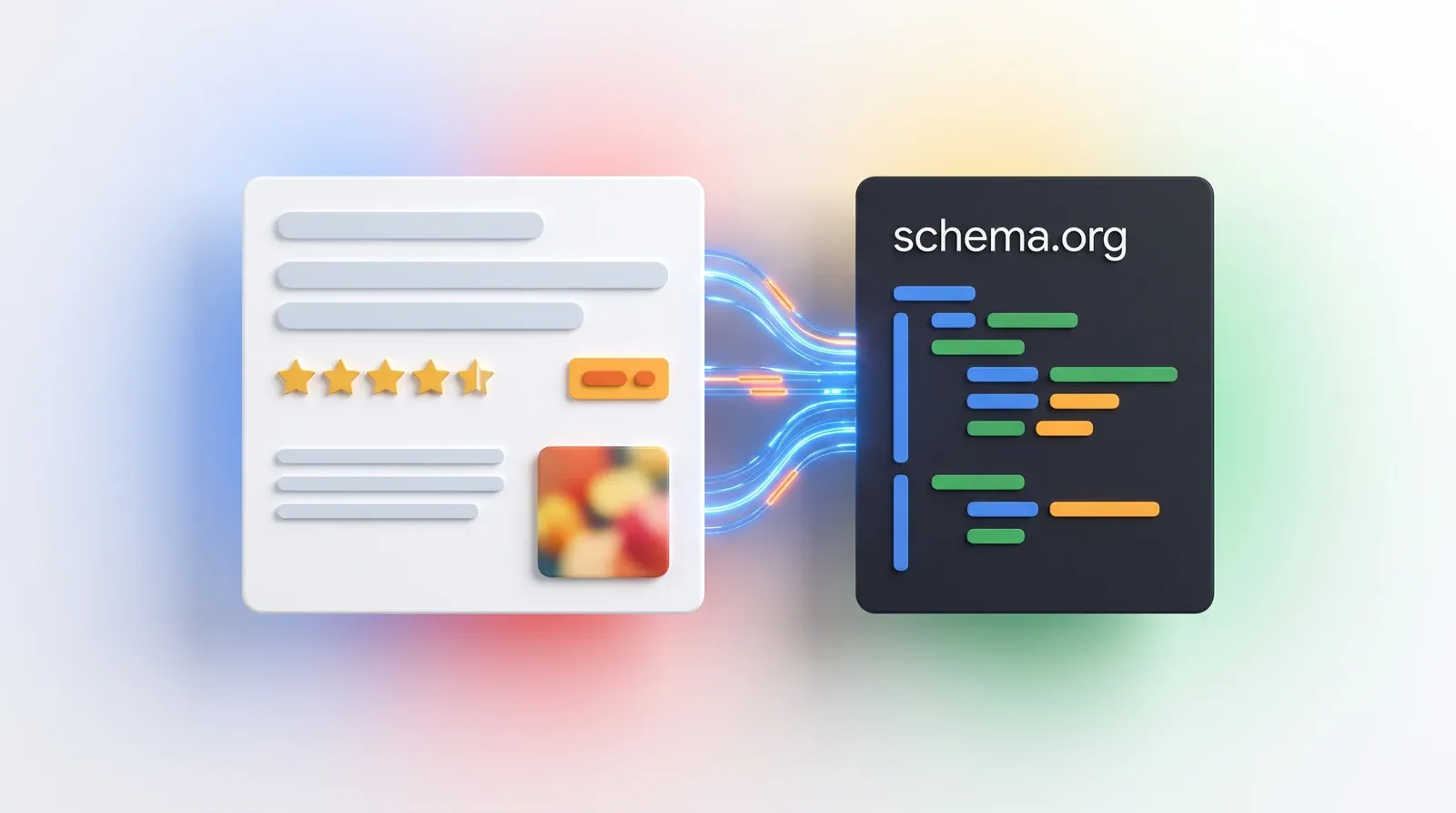
Structured data tells Google what a product is, what it costs and whether it is in stock; how that works is explained in our guide to structured data for Google. In Dawn the product section contains {{ product | structured_data }}, in Horizon {{ closest.product | structured_data }}: both themes add product schema by default. A paid or customised theme can lack it, or a developer may have removed it during a change. So test at least one product page with Google’s Rich Results Test.
Since June 2026 something else belongs to the standard package: Shopify makes eligible products available to AI channels (more on that below). CEO Tobi Lütke announced that direction in December 2025:
“We’re making every Shopify store agent-ready by default.”
— Tobi Lütke, CEO of Shopify (December 2025)
What do you need to do yourself for SEO in Shopify?
You handle everything that is content: your own title and meta description for each page, short handles, unique product and collection copy, descriptive alt text, reviews on your product pages and a 301 redirect for every changed URL. You connect Google Search Console and Merchant Center, and you keep an eye on apps and theme edits, because they can undo good work.
Titles and meta descriptions
Shopify allows up to 70 characters in the page title, but recommends staying within 60 characters so Google does not cut the title off. For the meta description, Shopify recommends 160 characters. Fill in both for your homepage, your collections and your best-selling products, with the keyword at the front: “Navy linen men’s shirt” tells Google and your customer more than “Summer Collection 2”. With keyword research you see which words your customers actually use.
Images and alt text
For square product photos, Shopify recommends 2048 by 2048 pixels. Shopify takes care of the file format: it automatically shows every image in the best format the browser can handle. Give every photo a descriptive file name and an alt text that says what is in the picture. Do not stack keywords into it: Google warns that alt text stuffed with keywords can be seen as spam.
Reviews and Merchant Center
Add review markup to your product pages. According to Google, reviews about your own business in Organization schema are not eligible for stars in the search results. Also connect Shopify’s Google & YouTube channel, which automatically syncs your products with Google Merchant Center; that channel is only available for certain countries and currencies. According to Google, combining structured data on your pages with a Merchant Center feed increases your chances of appearing in Google’s product experiences.
At Bastiano, a caterer for which ClickForest built the Shopify webshop, structured data and SEO content led to 35% more organic traffic.
The same product data also goes to AI channels. Shopify president Harley Finkelstein summed up in January 2026 why AI shopping needs structured product data:
“You can’t just scrape information and expect a great experience.”
— Harley Finkelstein, president of Shopify (January 2026)
Apps, theme edits and measuring
After every new app or theme edit, check whether your titles, your H1 and your product schema are still there. According to Shopify, a page that does not show what you expect is usually caused by edits to the theme files, made by hand or automatically by an app. Remove apps you no longer use, and choose new ones with our Shopify apps guide as a starting point. You measure the result with Search Console and Google Analytics 4, which you connect with our GA4 guide for Shopify.
Do you also have a physical shop?
Then local SEO comes into play, with searches such as a product or service plus your town. Bastiano’s Shopify webshop, for example, ranks in position 1 for “traiteur bonheiden”. A webshop without an address where customers come by can skip this part.
Example from practice: MyEssentials
MyEssentials is a Belgian fashion webshop on Shopify. ClickForest took care of the product schema, the FAQs, the SEO and GEO advice and the CRO analysis. After 2 months, 5 keywords were in the top 5. That is one webshop with its own starting point and its own competition, so it is not an average and not a promise.
How do you write SEO copy for Shopify?
Good SEO copy for Shopify answers the questions your customer has before buying: what the product is, who it is for, what it is made of, which sizes it comes in and how to care for it. Write your own copy for each product and collection, and avoid supplier copy found on dozens of other sites. You need no fixed word count: Google says it prefers none.
Product pages
Shopify itself recommends adding detailed specifications, size guides, material information and care instructions. That helps your customer choose and gives search engines something to connect your product to a concrete question. The main keyword belongs in your title and in the first sentence; you use related terms where they fit logically.
Lists of so-called LSI keywords can safely be ignored. Google’s John Mueller was clear about that in 2019:
“There’s no such thing as LSI keywords […] anyone who’s telling you otherwise is mistaken, sorry.”
— John Mueller, Google (July 2019)
Collection pages
A collection page is the logical landing page for a broader search, such as “linen shirts men”. Give every important collection a short text: what the collection contains, who it is meant for and how the products differ. Short is fine, as long as the text answers the choice your visitor has to make.
Can AI write your product copy?
Yes, as a first version. Shopify Magic, the free AI features available on every Shopify plan, writes product descriptions and headings, among other things. Read what comes out critically: an AI text only knows your size guide, your material and your customers’ questions if you provide them. If you are torn between an AI text and a copywriter, our comparison of AI copywriting versus humans sets out the trade-offs.
How is Shopify’s URL structure put together?
Shopify puts every product under /products/ and every collection under /collections/, for example /products/nike-air-max and /collections/sports-shoes. You choose the handle yourself: the last part of the URL. Keep it short and descriptive. If your theme links to a product via a collection (/collections/sports-shoes/products/nike-air-max), the canonical tag points to the /products/ version, so Google does not see a duplicate page.
Filters, sorting and click depth
Filtered and sorted collection pages automatically get a canonical tag in a standard Shopify theme, and the default robots.txt keeps combinations of filters out of Google. Extra work is rarely needed here. Make sure your navigation stays logical: keep every product within a few clicks of your homepage and use breadcrumbs, so visitors and search engines can see where a product belongs.
What do you do when a URL changes?
Create a 301 redirect from the old URL to the new one whenever you change a handle or delete a product or collection. Shopify allows up to 100,000 redirects on the regular plans and up to 20,000,000 on Shopify Plus, and you can import them in bulk with a CSV file. Without a redirect, visitors and Google land on an error page, and whatever the old URL had built up is lost. If you move an entire webshop from another platform to Shopify, the redirect plan becomes a project in its own right: that is part of a migration to Shopify.
Rather not keep track of everything yourself? Then you can outsource the SEO of your Shopify store to ClickForest.
How fast does a Shopify store need to be for SEO?
Fast enough to meet Google’s thresholds for the Core Web Vitals: an LCP under 2.5 seconds, an INP under 200 milliseconds and a CLS under 0.1. These metrics count in Google’s ranking systems, but relevance weighs more heavily. So see speed as a tiebreaker and as a lever for your conversion.
Google puts it this way itself: “Google Search always seeks to show the most relevant content, even if the page experience is sub-par.” The Core Web Vitals measure how your visitor experiences your page, on desktop and on mobile. For a Shopify store, speed and mobile optimisation come down to these steps:
- Measure with PageSpeed Insights and follow the Core Web Vitals report in Google Search Console.
- Choose a well-maintained theme, such as Horizon or Dawn, both free and maintained by Shopify.
- Only load images below the fold when they are needed; Shopify takes care of the file format.
- Remove apps that load scripts you no longer use.
- Test on mobile: Google uses the mobile version of your pages for indexing and ranking, so whatever is on desktop must also be on mobile.
- Make buttons and links large enough. Chrome’s Lighthouse assumes tap targets of 48 by 48 pixels, with 8 pixels of spacing.
How do you do SEO for a bilingual Shopify store in Belgium?
Work with Shopify Markets and a language folder on your main domain, such as /fr/ for your French version. Shopify then sets the hreflang tags automatically based on your market and language settings, handles the canonicals and includes all language URLs in your sitemaps. With Shopify’s free Translate & Adapt app you translate your content and your SEO fields; you fill in the URL handles for each language yourself.
Shopify itself recommends subfolders such as /fr/. The automatic redirect to the right language only applies to customers: search engines are excluded, so Google can read every language version.
Translate & Adapt translates automatically into up to 2 languages, and a language you have translated that way cannot be swapped afterwards. For a Dutch-language webshop with a French version, that is enough. The automatic translation skips the URL handles: you add those by hand for each language, and they then apply to all markets in which that language is visible.
Proofreading remains your own job. Have a machine translation checked by someone who speaks the language well. Do separate keyword research for your French version, because the best French search term is not always the literal translation of your Dutch one. And after setting everything up, check in the page source of a product whether a hreflang line appears for every language and whether the handle in the French URL has been translated.
How do you make your Shopify store findable in AI search engines?
With the same basics as for Google. According to Google, AI Overviews and AI Mode have no additional requirements and you do not need any special markup for them. For ChatGPT, Copilot and the Gemini app, Shopify has been making eligible products available by default since 17 June 2026. Your job is to make that product data complete and correct, so those channels have something useful to show.
Google says it literally: “There are no additional requirements to appear in AI Overviews or AI Mode, nor other special optimizations necessary.” The SEO basics of your store are therefore also your basis for AI Overviews. Danny Sullivan summed it up like this at WordCamp US in August 2025:
“Good SEO is good GEO, or AEO, AIO, LLM SEO, or LMNOPO.”
— Danny Sullivan, director within Google Search (August 2025)
One change you need to know about: since 7 May 2026 Google no longer shows FAQ rich results, and it removed the documentation on them on 15 June 2026.
With the Spring ‘26 Edition of 17 June 2026, Shopify switched on Shopify Catalog and the Universal Commerce Protocol by default. According to Shopify, stores with eligible products are in Catalog by default. Those products then go to ChatGPT, Copilot, AI Mode in Google Search, the Gemini app and the Shop app, and Shopify shows how you perform there and what is missing. Selling directly through ChatGPT does require your store to also sell to customers in the United States. For a Flemish webshop that does not, that shift towards agentic commerce mainly shows the direction of travel for now.
ClickForest supports SEO and GEO for Shopify webshops of SMEs in Flanders as one track, because both rely on the same product data. Also test now and then what ChatGPT and Perplexity say about your products and your brand.
Which points are on the Shopify SEO checklist?
The checklist has 20 points, split into five blocks: checking what Shopify already does, filling in your pages yourself, monitoring your URLs and redirects, speed and mobile, and your language versions and AI channels. Go through it at launch, after every new app or theme edit and whenever you rearrange your products or collections.
| No. | Checkpoint | Standard or tool |
|---|---|---|
| 1 | Product schema present on your product pages | Google’s Rich Results Test |
| 2 | Reviews marked up at product level | Not in Organization schema |
| 3 | Sitemap submitted, Search Console and GA4 connected | Set up once |
| 4 | Robots.txt unchanged | Only edit it if you know exactly what you are doing |
| 5 | Canonicals and title tags intact after apps and theme edits | Check the page source of a product |
| 6 | Own SEO title for each product and collection | Up to 60 characters |
| 7 | Own meta description for each page | Shopify recommends 160 characters |
| 8 | Short, descriptive handles | Last part of the URL |
| 9 | Unique product copy | No supplier copy, no word quota |
| 10 | Copy on every important collection page | Answers the choice question |
| 11 | Descriptive alt text and file names | Without stacking keywords |
| 12 | Sharp product photos | 2048 by 2048 pixels for square images |
| 13 | 301 redirect for every changed URL | Up to 100,000 on the regular plans, bulk via CSV |
| 14 | Core Web Vitals within the thresholds | LCP under 2.5 s, INP under 200 ms, CLS under 0.1 |
| 15 | Mobile complete and easy to use | Tap targets of 48 by 48 pixels |
| 16 | Apps reviewed | What you do not use goes |
| 17 | Shopify Markets and language folder set up | /fr/, hreflang automatic |
| 18 | Translations proofread, URL handles filled in for each language | Translate & Adapt does not translate handles automatically |
| 19 | Google & YouTube channel connected | Products in Merchant Center, only in certain countries and currencies |
| 20 | Product data complete for AI channels | Specifications, sizes, material and care |
Where do you start with SEO for your Shopify store?
Start with what delivers the most for the least work: your own title and meta description for your main collections and products, unique copy where supplier copy is still in place, and a test of whether your product schema is really there. Then come redirects, speed, your French version and the AI channels, in that order.
Nobody can guarantee a timeframe or a first place, Google says itself. So go through the list again after every new app or theme update.
Want us to take a look? ClickForest builds and optimises Shopify webshops for SMEs in Flanders, from a new store to SEO and GEO for an existing one. See what we do in Shopify store development or tell us where your store stands today.

More organic visibility, less dependence on paid ads
Want to know exactly where your site is missing opportunities in search? Our SEO services
Discuss your challenge directly with Frederiek: Book a free strategy call or send us a message
Prefer email? Send your question to frederiek@clickforest.com or call +32 473 84 66 27
Strategy without action remains theory. Let's take your next step together.
Frequently asked questions
Yes, for the technical basics. Shopify automatically creates canonical tags, a sitemap.xml and a robots.txt, adds product schema in its themes and activates free SSL. Unique product copy, strong titles, redirects and links remain your job, and that is also where most of the work lies when ClickForest optimises Shopify webshops for SMEs in Flanders.
Usually not. Shopify's default robots.txt already blocks your cart, checkout, internal search results and combinations of filters. You can edit it through the robots.txt.liquid template, but Shopify calls that an unsupported customisation and warns that a mistake can cost you all your traffic.
Work with Shopify Markets and a language folder such as /fr/ on your main domain. Shopify then sets the hreflang tags, canonicals and sitemaps correctly by itself. With the free Translate & Adapt app you translate your content and your SEO fields, automatically for up to 2 languages; you fill in the URL handles by hand for each language.
Since the Spring '26 Edition of 17 June 2026, Shopify Catalog and the Universal Commerce Protocol are switched on by default, so eligible products can appear in AI channels such as ChatGPT, Copilot and the Gemini app. Selling directly through ChatGPT is only possible if your store also sells to customers in the United States (as of September 2026).
There is no general timeframe: it depends on your competition and your starting point, and according to Google nobody can guarantee a first place. One example from practice: at the Belgian fashion webshop MyEssentials, 5 keywords were in the top 5 after 2 months, after ClickForest took care of the product schema, the FAQs and the SEO and GEO advice. ClickForest builds and optimises Shopify webshops for SMEs in Flanders and does not promise a timeframe.
Sources and references
Shopify: SEO settings:
- Shopify Help Center: "SEO overview", what Shopify handles automatically (consulted September 2026) · https://help.shopify.com/en/manual/promoting-marketing/seo/seo-overview
- Shopify Help Center: "Editing robots.txt.liquid", the default robots.txt (consulted September 2026) · https://help.shopify.com/en/manual/promoting-marketing/seo/editing-robots-txt
- Shopify Help Center: finding and submitting your sitemap (consulted September 2026) · https://help.shopify.com/en/manual/promoting-marketing/seo/find-site-map
- Shopify Help Center: keywords, titles and meta descriptions (consulted September 2026) · https://help.shopify.com/en/manual/promoting-marketing/seo/adding-keywords
- Shopify Help Center: "URL redirects", limits and bulk import (consulted September 2026) · https://help.shopify.com/en/manual/online-store/menus-and-links/url-redirect
- Shopify Help Center: product media, dimensions and file formats (consulted September 2026) · https://help.shopify.com/en/manual/products/product-media/product-media-types
- Shopify Help Center: "Enabling secure connections", HTTPS and free certificates (consulted September 2026) · https://help.shopify.com/en/manual/domains/managing-domains/secure-connections
- Shopify Help Center: "Frequently asked questions about SEO", theme edits and apps (consulted September 2026) · https://help.shopify.com/en/manual/promoting-marketing/seo/frequently-asked-questions
- Shopify.dev: Liquid filter within, product links via a collection (consulted September 2026) · https://shopify.dev/docs/api/liquid/filters/within
- Shopify Help Center: Google & YouTube channel (consulted September 2026) · https://help.shopify.com/en/manual/online-sales-channels/marketplaces/google
Shopify: themes and product schema:
- Shopify Theme Store: Horizon, free theme by Shopify (consulted September 2026) · https://themes.shopify.com/themes/horizon/presets/horizon
- Shopify Theme Store: Dawn, free theme by Shopify (consulted September 2026) · https://themes.shopify.com/themes/dawn/presets/dawn
- Shopify on GitHub: Dawn, sections/main-product.liquid (consulted September 2026) · https://raw.githubusercontent.com/Shopify/dawn/main/sections/main-product.liquid
- Shopify on GitHub: Horizon, sections/product-information.liquid (consulted September 2026) · https://github.com/Shopify/horizon/blob/main/sections/product-information.liquid
Multilingual stores:
- Shopify Help Center: "International SEO for markets" (consulted September 2026) · https://help.shopify.com/en/manual/markets/seo
- Shopify Help Center: Translate & Adapt (consulted September 2026) · https://help.shopify.com/en/manual/international/translate-adapt-app
- Shopify App Store: Translate & Adapt, free app by Shopify (consulted September 2026) · https://apps.shopify.com/translate-and-adapt
Shopify, AI and AI channels:
- Shopify News: "Spring ’26 Edition" (17 June 2026) · https://www.shopify.com/news/spring-26-edition-merchant
- Shopify Help Center: selling through ChatGPT (consulted September 2026) · https://help.shopify.com/en/manual/online-sales-channels/agentic-storefronts/chatgpt
- Shopify Help Center: "Optimizing your store for AI" (consulted September 2026) · https://help.shopify.com/en/manual/promoting-marketing/seo/optimizing-store-for-ai
- Shopify Help Center: Shopify Magic (consulted September 2026) · https://help.shopify.com/en/manual/ai-powered-tools/shopify-magic
- Shopify News: Winter ’26 Edition, agentic storefronts (December 2025) · https://www.shopify.com/news/winter-26-edition-agentic-storefronts
Google Search Central:
- Google Search Central: Core Web Vitals (December 2025) · https://developers.google.com/search/docs/appearance/core-web-vitals
- Google Search Central: page experience (December 2025) · https://developers.google.com/search/docs/appearance/page-experience
- Google Search Central: mobile-first indexing (December 2025) · https://developers.google.com/search/docs/crawling-indexing/mobile/mobile-sites-mobile-first-indexing
- Google Search Central: product structured data and merchant listings (December 2025) · https://developers.google.com/search/docs/appearance/structured-data/product
- Google Search Central: review snippets (September 2026) · https://developers.google.com/search/docs/appearance/structured-data/review-snippet
- Google Search Central: images in Google Search (March 2026) · https://developers.google.com/search/docs/appearance/google-images
- Google Search Central: "Creating helpful, reliable, people-first content" (December 2025) · https://developers.google.com/search/docs/fundamentals/creating-helpful-content
- Google Search Central: "AI features and your website" (December 2025) · https://developers.google.com/search/docs/appearance/ai-features
- Google Search Central: changelog with the end of FAQ rich results (May and June 2026) · https://developers.google.com/search/updates
- Google Search Central: "Do you need an SEO?" (June 2026) · https://developers.google.com/search/docs/fundamentals/do-i-need-seo
- Chrome for Developers: Lighthouse, tap targets (May 2019) · https://developer.chrome.com/docs/lighthouse/seo/tap-targets
Quotes:
- Search Engine Land: "Google Danny Sullivan: good SEO is good GEO" (September 2025) · https://searchengineland.com/google-danny-sullivan-good-seo-good-geo-461464
- Search Engine Roundtable: John Mueller on LSI keywords (January 2023) · https://www.seroundtable.com/google-lsi-keywords-have-no-effect-34668.html
- Modern Retail: Harley Finkelstein on AI shopping and product data (January 2026) · https://www.modernretail.co/technology/marketplace-briefing-shopify-president-harley-finkelstein-on-why-ai-shopping-cant-just-scrape-information/